

Introduction

Course Development

eLearning Artifact

Project Management
To answer the question, “What is my experience with online courses?” I want to share my course development process, and showcase an eLearning artifact for a Blackboard film studies course.
Course Development
Process
I follow four of the five ADDIE steps when developing an online course, analyze, design, develop, and implement because my courses are often reassigned to other instructional designers for redevelopment. When I work on a course slated for redevelopment, I complete the last step evaluate by reviewing the student course feedback and asking what the instructor wants to keep or change.
Course development typically involves one instructional designer supporting one instructor through a seven month process. However, when I was assigned to help develop an online film studies course, I ended up with only five months.
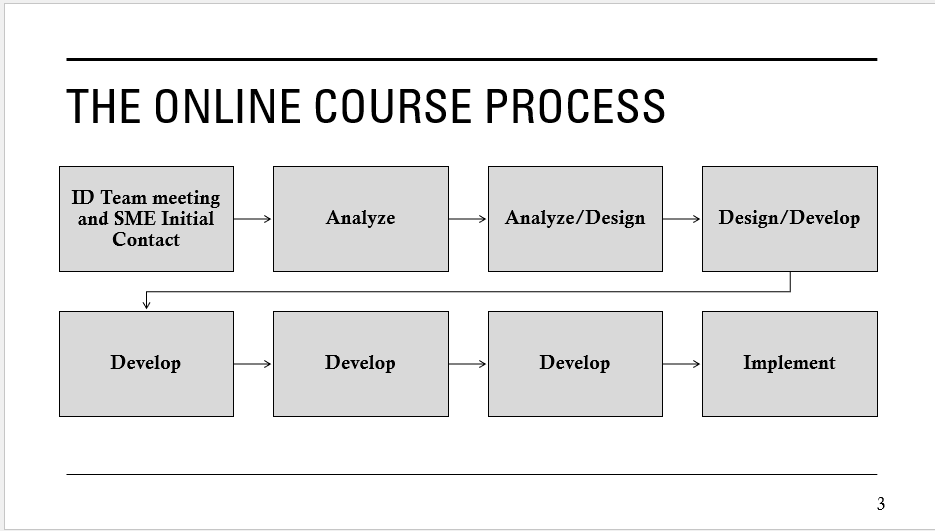
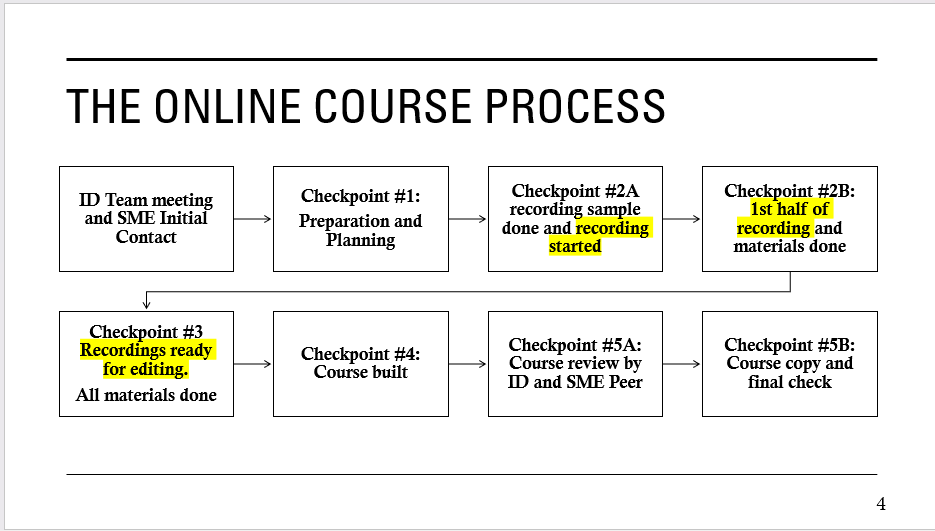
The original instructor and department head wanted this film course to be scholarly. They wanted to assign students to watch movies, recorded lectures, and to complete readings so the students wrote several essays that would prepare them for the final paper.
When instructor 1 left two months later, the course was assigned to instructor 2.
Instructor 2 emailed the department head and me that she wanted to redesign the course and that she understood that we had to produce the course with only 70% of the original production time. Instead of a final essay, instructor 2 wanted the students to create group video essays for the final project.
To ensure that students were prepared to create group video essays students had to learn how to collaborate. I recommended Blackboard wikis because they allowed students to contribute and create one or more pages and allowed the instructor to track and grade each student’s contribution. Because it was unusual to expect an entire class of 50+ students to complete wikis together, I assisted the instructor with making instructions more apparent and providing a template for a consistent format.
First, upon selecting the first weekly module, students could watch a short instructor wiki tutorial and download a PowerPoint reference along other instructions for another collaborative project, group journals.
To ensure that the new film studies instructor understood the wiki setup, I utilized SAM.
eLearning Authoring with SAM
SAM, the abbreviation for Successive Approximation Model, helped me develop prototypes for grading, group projects, and course navigation.
| SAM | Analyze | Design | Develop |
| Cycle 1 – Test | How can an online course foster class collaboration quickly? | Offered options for group assignments, discussion boards, journals, and wikis. | Created Blackboard wiki setups. Populated students entries with AI. to demonstrate wikis’ strengths and weaknesses. |
| Cycle 2 – Refine | How can the instructor manage the online course? | Created a weekly module prototype and grade setup based on the instructor’s feedback and available course materials. | Replicate approved setup for each learning module. Create the grade setup to add group assignments to midterm and final grades. |
Although the film course also utilized group journals, and class discussion boards,
eLearning Artifact
When I create training content, I first review the available documents to draft a handout for students or instructors. If there is a need for a video tutorial, then the handout serves as a storyboard and a start of a tutorial script.
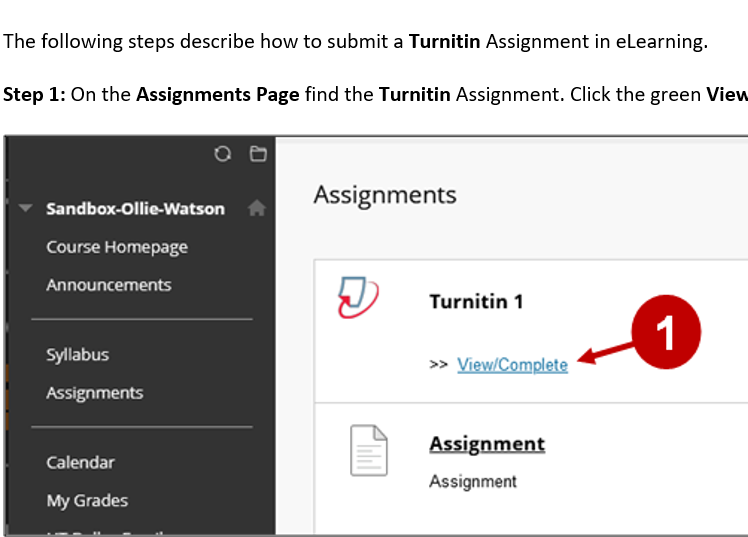
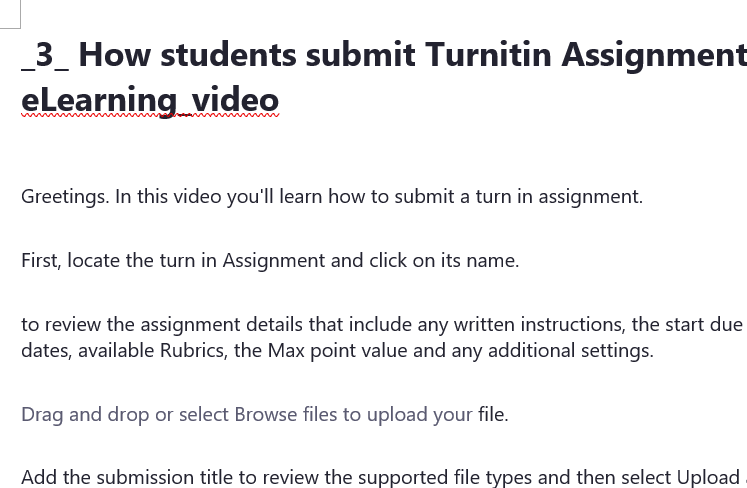

Once the handouts and videos are finalized, they appear on various eLearning webpages that are openly available online. Instructors and other campus departments can then decide to post these tutorial links on in their courses or eLearning organization setups.
Project Management
Although I am aware of management programs like Asana, my job utilizes Excel, Outlook, and Teams to track work and review progress. Currently I rely on one Excel spreadsheet for the following
- Training Records
- Course Design
- Training Content
- Student Worker Tasks
I developed and revised the Student Worker task sheet with feedback from student workers hired by the eLearning training manager so the students and I could review each other’s questions, feedback, and completion notes for completing training materials, and testing eLearning setups.
Conclusion
This is a small sample of the work I complete as an instructional designer and trainer. Assisting instructors with designing and managing online courses because of sudden internal and external challenges.
 Joo Eun Haldeman